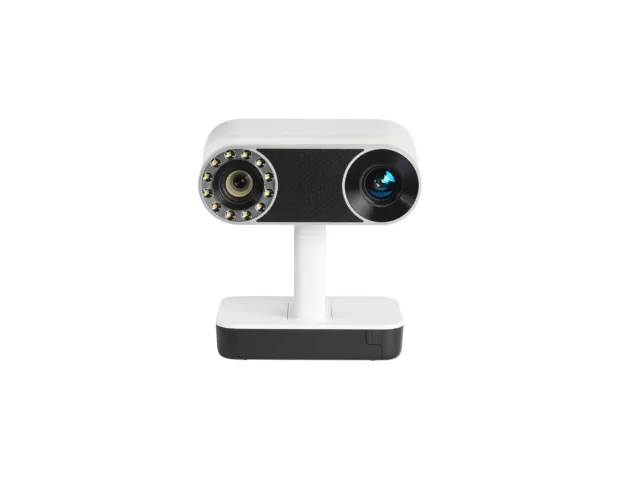
Tabletop 3D Scanners
How to access this tool
Drop-in use
Drop into the workshop during our opening hours to use this tool, but ask a technician if you need any training first.

Key information
Yellow tools require further training. Training will be available either in the form of a bookable tool training session, or by dropping into the space and making an arrangement with a technician.
The NextEngine table top laser scanner is capable of scanning small and medium sized objects at a high resolution. The scanner includes a rotating bed so full 360° scans can be taken without having to manually move the target object.
The bundled software ScanStudio, installed on the Workshop PC, includes tools for editing, cleaning and fusing together scans.
What can I use this tool for?
Scan an object in order to be able to print a copy of it using a 3D printer.
Create a scan of an object to enable you to design another part to fit.
Scan an object for use in video or 3D graphics applications.
Materials used with this tool
- Most Materials - Most objects and materials should be scannable. You may run into problems when scanning things that are shiny or transparent. Where appropriate it is possible to get around this by dulling the surface of your target object using a chalk or similar.
What training do I need to use this tool?
To use this tool, you will need to email members@instituteofmaking.org.uk and arrange a training session with a suitably experienced technician.
Once you have completed the training, email members@instituteofmaking.org.uk to request a time to come in and use the tool alongside a trained technician. Please note, if a trained technician is no longer available on the day of your arranged visit, we may need to rearrange.
Technical specifications
| Specification | Details |
|---|---|
| Maximum Scanning Area | (Near) 129 × 96 mm (Far) 342 × 256 mm |
| File Format | STL, OBJ, VRML, XYZ, PLY |
| Software | ScanStudio |